


How to Successfully Launch your Online Communities in Viva Engage
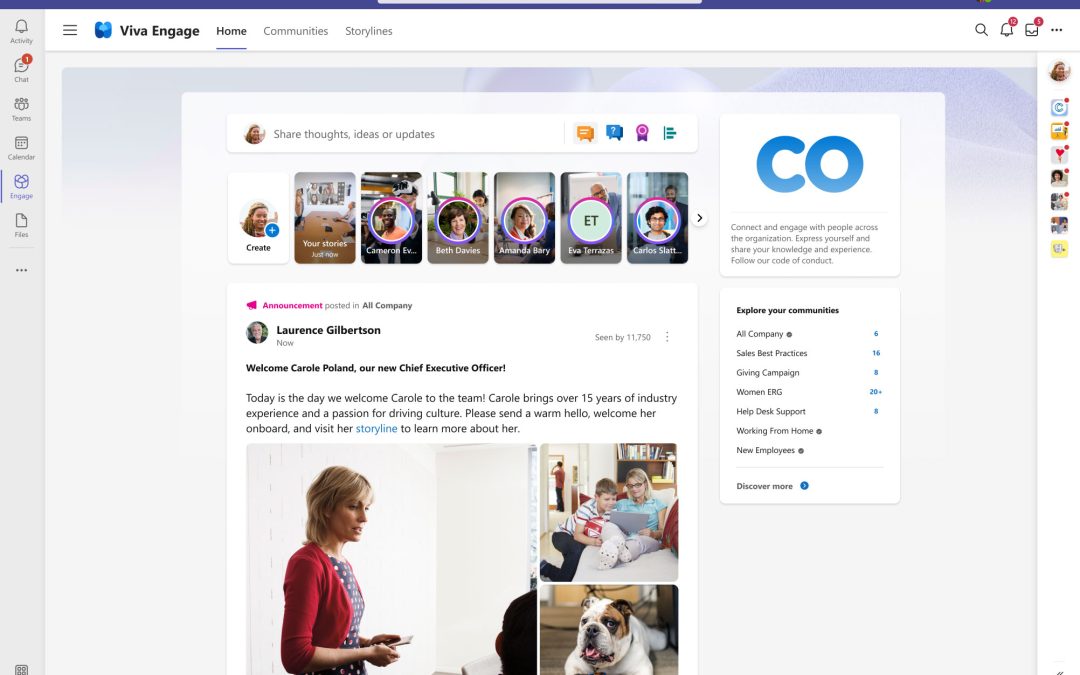
Launching a new online community in Viva Engage can feel like throwing a party and hoping people show up. You can have the space ready and invitations sent – but without the right foundations, conversation might never start.
When done well, Viva Engage communities become the heart of your digital workplace – connecting employees, surfacing expertise, and enabling two-way communication. Done poorly, they often fizzle out before they ever take off.
Here’s how to launch Viva Engage communities that actually get used – and keep delivering value long after launch day.
Start with Purpose and Planning
Before you create a community, be clear on why it exists and who it’s for. Every community needs a compelling purpose and a reason for people to come together. Ideally, tie it to a business priority or a common employee interest — for example, a forum for diversity & inclusion or a new-hire Q&A group. This clarity will encourage participation and give the community direction.
Ask yourself:
- What problem is this community solving?
- Who will benefit most from it?
- How does it support a business goal or meet an employee’s need?
For example:
- A wellbeing community to share wellness tips and peer support.
- A technical community to crowdsource solutions for common challenges.
- A best-practice community to share lessons learned across teams.
When a community’s purpose aligns with real needs – like onboarding new starters or promoting core values – people are much more likely to participate. It won’t just be “social” for its own sake; it will be a purposeful space that benefits both employees and the business.
Engage Leaders and Champions
Employees take cues from the top, so get leaders on board from day one. But thriving communities also rely on other key roles and clear guidelines. Make sure you have these roles in place from the start:
A sponsor
A high-profile leader who visibly champions the community. Their participation gives the community credibility and signals that it’s safe (and encouraged) for everyone to get involved.
Champions
Enthusiastic members who act as hosts. They welcome newcomers, spark discussions, get questions answered, and keep the energy high week to week. Provide basic training or guidelines to these champions on how to moderate posts, handle questions, and sustain engagement.
e.g., A champion in a crisis management community posts continuous updates.
e.g., A champion in a wellbeing scenario seeds and stimulates conversation.
e.g., A champion in a technical community makes sure nothing goes unanswered and brings experts to the question.
Subject matter experts
People with specialised knowledge who can answer questions and share insights. Officially involving a few SMEs adds depth and builds trust among members.
Membership
A successful community is clear on who can join and how. Decide if the community is open to all, requires approval to join, or is invite-only for a select group (for example, a private group for a sensitive topic).
Plan a Memorable Launch Campaign
A strong launch gets things off to a great start. Treat your community rollout like an internal comms campaign:
- Build anticipation with teasers or pre-launch announcements to spark curiosity.
- Time the launch to coincide with an existing company event or milestone (like a Town Hall or all-hands meeting) for added visibility.
- Make it easy for people you want to join by being clear about how and where to join.
Where possible, have your executive sponsor or another senior leader send the launch announcement. A personal endorsement from a top leader gives the community instant credibility and encourages everyone to get involved from day one.
Seed Content and Set the Ground Rules
Don’t invite everyone into a silent space. Work with your champions to seed content and set basic ground rules:
- Post a couple of welcome messages or icebreaker questions to get conversations rolling.
- Pin a “How to Get Started” post that outlines simple guidelines or tips.
- Kick off a quick poll (for example, “What are your thoughts on subject X?”) to spark immediate participation.
These steps ensure the community feels active and welcoming from day one, so newcomers are far more likely to participate.
Walking into an empty room feels awkward. Walking into an active one feels inviting. Early signals matter.
Drive Engagement and Keep the Buzz Going
Congratulations – you’ve launched! Now it’s time to keep up the momentum. The first few weeks are critical, and engagement won’t continue on its own. Here are some ways to keep the buzz alive:
- Keep conversation flowing: Maintain a steady rhythm of posts. Aim for at least one fresh post Every few days from a leader or champion – whether it’s a question, a timely industry tip, or an open-ended prompt. Regular posts show that the community is Live.
- Host events and activities: Give people more ways to participate. Organise periodic live sessions (like a virtual Q\&A or an “Ask Me Anything” with a leader) to create shared experiences. Special events provide fresh content and draw members back into the community.
- Listen and adapt: Stay responsive to your community’s needs. Use Viva Engage analytics to track activity and gather feedback (through quick polls or by asking questions). If members suggest new ideas or request a new group, be ready to adjust. By refining your approach, you’ll keep your communities thriving over the long term.
Ready to turn your online communities into an employee engagement engine?
If your organisation is struggling with low participation or communities that lose steam after launch, it’s time to rethink your approach – not the platform. We help Communications and IT teams launch Viva Engage communities with clear governance, defined roles, and strategies that drive real adoption.
Speak to a digital workplace expert today to discover how you can create online communities your employees will love.


Your next read:
If you’re planning a digital workplace refresh, our checklist will give you a practical starting point.